An accessible User Interface to build custom smart home IoT
Project Overview: ESP’s, New Builders and how to transition a code-editor tool Interface to a dual code and Graphical UI builder
The ESPHome app within Home Assistant’s interface (and the stand alone app) until this years (2026) was essentially, a yaml coding interface. Most of the technically proficient users tending to build their ESP32 and other smart home, sensor chip ‘powered’ devices via comman line interface (CLI) terminal commands or some used the ‘code-writing’ yaml interface (think of a fairly plain selection dashboard and then a code text editor and that was your available interface!).
ESPHome as a product, relied on it’s comprehensive and well-maintained documentation, content creators making video tutorials and the community of savvy helpers via discord that rarely seemed to sleep. But as the team prepared for a new commercial partnership with Apollo Automation to build and market a Starter Kit the focus was shifting to become more inclusive of people unfamiliar with yaml, coding interfaces and soldering wires to sensors and discussed aspirations of an interface that supported new to custom smart home devices/senors and enabled them to feel the joy of building and successfully compiling their first custom smart home device! (and avoiding the dreaded magic smoke).
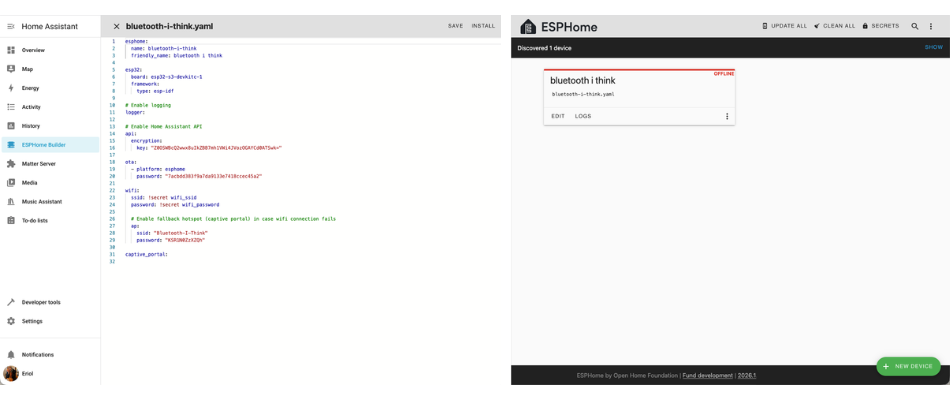
Above: The original designs of ESPHome’s interfaces
Goals and Constraints
Taking an interface from DIY electronics fans and shifting it towards users learning and growing is a nerve-wracking problem. You want to ensure any Graphic User Interface (GUI) doesn’t disempower a power user over empowering a new user. Ideally more usable, accessible, feature rich and appropriately visually design interface should work well for as many user proficiecy levels as possible. This was our challenge, over 3-5 months to:
- Understand our current, power users behaviours
- Learn beginner users needs and common problems
- Build a good balanced UI that serves both of these users
- With a focus on the starter kit launch
- That can be developed and maintained sustainably by a core developer team and OSS contributors
Our constraints largely lay in ensuring the balance described above as well as time and development resource contraints.
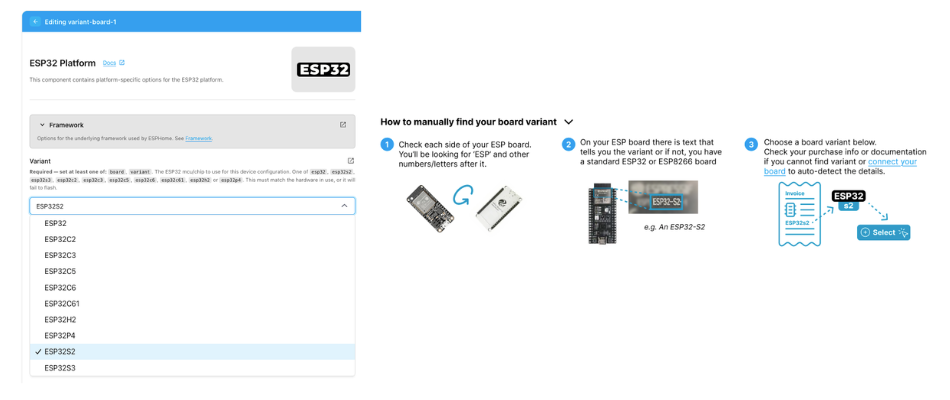
Above: Challenges helping new users select the correct base board for a smart device and visual support information options
User goals
- Build custom smart home devices quickly and correctly.
- Understand better how sensors and components are configured on custom smart home devices without needing to know detailed yaml coding.
- Improve common inefficiencies in the builder UI for existing power users.
- Provide a user experience that makes users want to return to create more custom smart home devices.
Organisation goals
- Build something that is able to be sustainably maintained in the organisations OSS framework.
- Promote and sell starter kits, but not so that it gets in the way of other device projects.
- Improve speed, discovery, understanding and overall accessibility/usability of the ESPHome builder.
- Make ESPHome feel like more of an integrated product in the wider product suite of Home Assistant.
Methods and Process
Improving ESHome started with a critical design review of the existing UI and journeys. Using Hueristic Analysis and documenting user journey maps alongside watching our internal power user team members demonstrate optimal use of the tool.
We followed up with understanding across stakeholders what the focus of the improvements would be within the scope of time and recources we had. This included clearly understanding the difference internal between an ’educational’ experience and a ‘supported’ experience.
Rounds of design exploration started, as I started to build out clarity of comple xtechnical steps into more understandable, manageable sections. My own experience as a beginner electronics builder helped here and I employed an self-ethnographic approach to reflect on my own experiences figuring out what level of complexity felt joyful to overcome as a beginner.
After we have some testable prototypes in design software, we tested some early expermental UI treatments built on top of a community contribted example GUI.
The designs reached a point where developers built live testable versions we did another round of usability testing on to build confidence in our approaches and plan for future improvements.
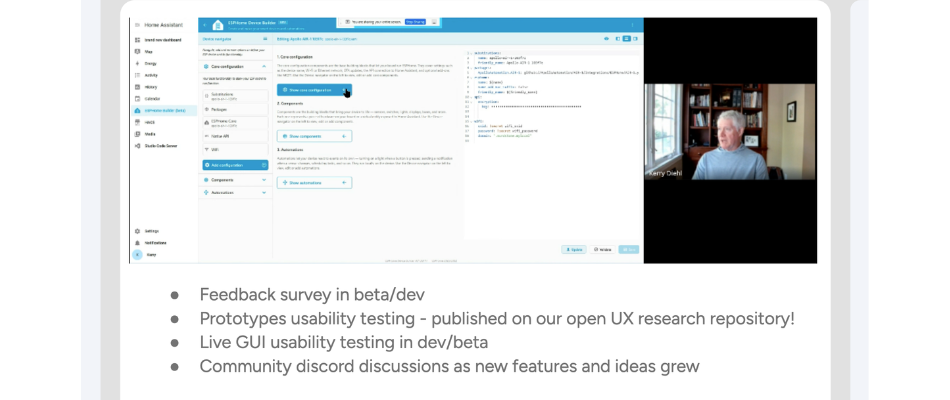
Above: Image from Usability testing with a user
Impact and Outcomes
An impact that was more holistic across the team that I call a successful is showing the engineering team that usability testing can be quick, effective and tell us critical information about whats working and what is not working mean’t that in projects after this, the engineering team was asking for usability testing and user research. This also had an added benefit, specific to Open Source is that participation in usability testing counts as a contribution and so users that did not feel able to contribute code could offer their thoughts and experience as a contribution.
Critically we made huge impacts on the user base, both power users and beginner users. Most notable were:
- Power users and beginner users were able to speed up their processes and now had access to optimised ways to perform previously labour and time intensive tasks.
- Beginner users had a massive confience and knowledge boost by the GUI giving them relevant and useful information alongside selections and input fields.
- Power users (and beginners, but less so) discovered new potential combinations of sensors and boards that helped them plan for and be excited about their next projects.
- A more comprehensible dashboard that allowed for grouped actions like updates, deletions as well as filtering, labelling and quick views of the details of the custom smart device without fully opening the editor.
- Finally, we seperated out some set up and technical steps that we had previously assumed were simple and made sure there were quick routes for the power users and supported steps for beginners.
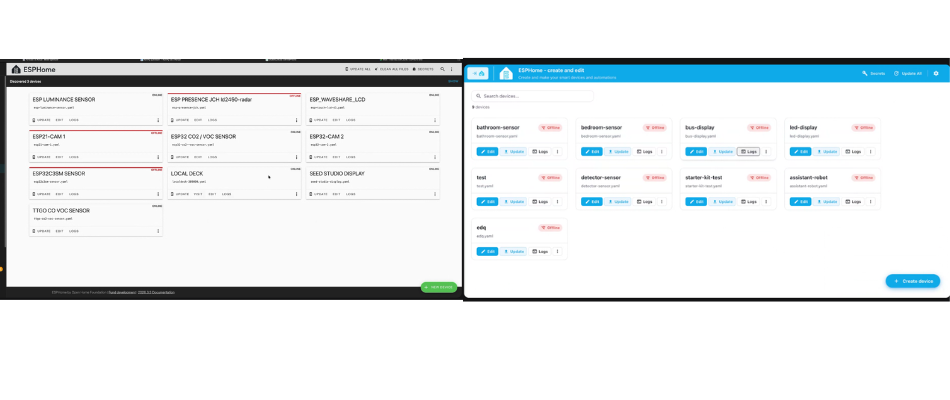
Above: New Dashboard design next to the old one
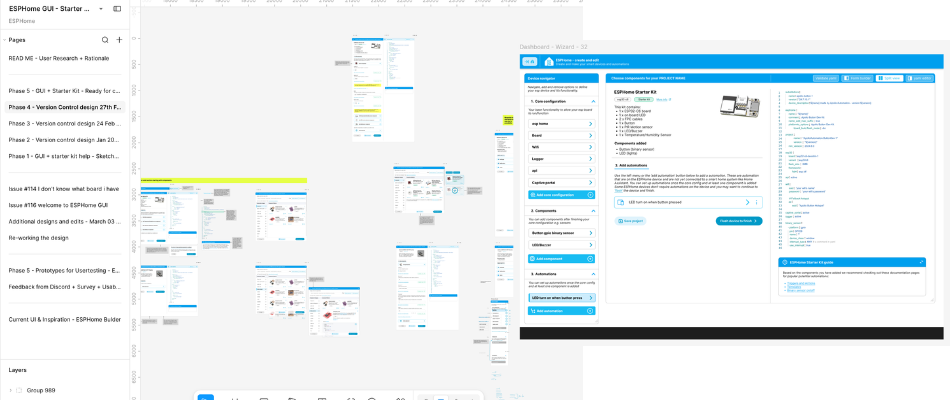
Above: New GUI Builder design next to the old one